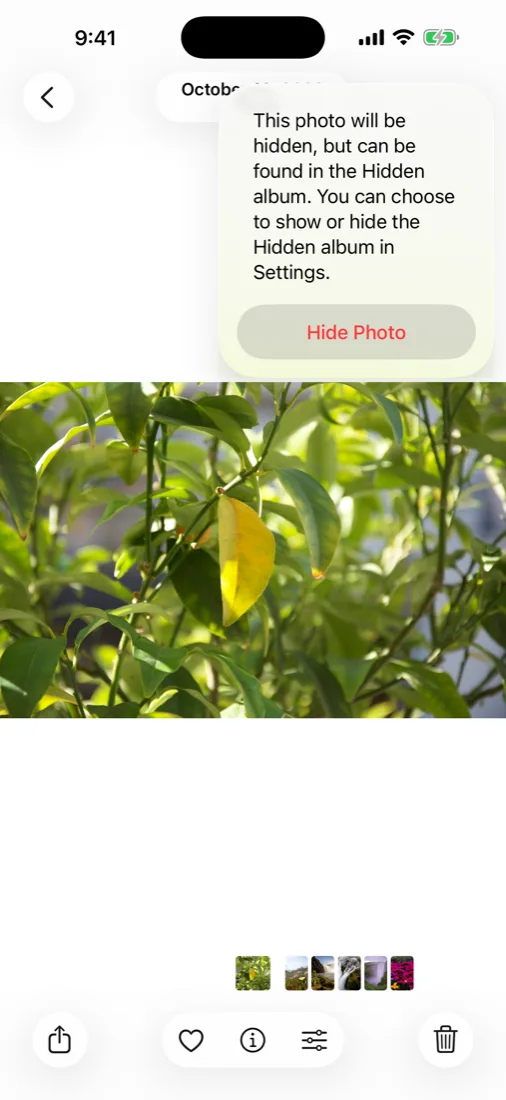
The short answer. Open a photo, tap the three dots, tap Hide. It moves to Albums → scroll to the bottom → Utilities → Hidden, which since iOS 18 asks for Face ID. That removes it from your main grid, from Memories, and from the widget. It does not remove it from your library, from iCloud, or from anyone who knows your passcode.
Why two forum threads outrank most articles on this search. Google's third result is an Apple Discussions thread asking whether you can hide an entire album, and the second is a Reddit thread asking how to organise hidden photos into folders. Both questions have the same answer — you cannot — and Apple's documentation does not say so. This page does.
How to add a photo to the Hidden album
- Open the photo or video in Photos.
- Tap the three dots in the top-right corner.
- Tap Hide, then Hide Photo to confirm.
For several at once: in any grid, tap Select, tap each photo, then the three dots at the bottom right → Hide. There is no limit on how many you can hide, and hiding does not re-compress or move the file — it sets a flag on it.
From a Mac, select the photos and press ⌘L, or right-click → Hide. Hiding on any device hides on all of them within a few seconds, because the flag syncs with iCloud Photos.
Where the Hidden album went in iOS 18
If you have been using an iPhone for years and the album vanished, nothing was deleted. iOS 18 rebuilt the Photos app into one continuous scrolling page, and the Albums list moved down it. Hidden now lives in the Utilities section near the bottom, next to Recently Deleted and Imports.
Two things changed at the same time, and both are improvements:
- Face ID is on by default. Opening Hidden or Recently Deleted asks for your face. Before iOS 16 the album was simply there, unlocked, for anyone scrolling.
- The album can be removed from the list. Settings → Apps → Photos → Show Hidden Album. Turn it off and the row disappears entirely.
If you cannot find it at all, that last setting is almost always the reason — either you turned it off once and forgot, or someone else did.
How to hide the Hidden album itself
- Open Settings → Apps → Photos.
- Turn Show Hidden Album off.
The row vanishes from Utilities. Your hidden photos are untouched; they are simply unreachable until you turn the setting back on.
It is worth being clear-eyed about what this buys you. It stops someone scrolling casually to the bottom of your Albums tab and seeing a row called Hidden. It does not stop anyone who has read a page like this one, because the setting is in a fixed, documented place and takes four seconds to switch back on. Treat it as tidiness, not security.
What hiding actually removes a photo from
| Place | Hidden photo appears? |
|---|---|
| Library, Years, Months, Days | No |
| Memories and Featured Photos | No |
| Photos widget on the Home Screen | No |
| Albums you created | No |
| The Hidden album | Yes — that is the point |
| iCloud Photos, on every signed-in device | Yes |
| iCloud.com in a web browser | Yes |
| A Mac or PC backup of the phone | Yes, at full resolution |
| Spotlight search on the phone | No |
| The photo picker other apps show you | No |
The top half of that table is real and useful. Hiding a photo genuinely stops it resurfacing as a Memory three years later while someone is looking over your shoulder — which is the single most common way people get caught out. The bottom half is the part nobody mentions.
The three things people ask for that Apple has not built
1. Hiding a whole album
You cannot. Hidden is one flat album, not a folder system, and there is no way to take an album you made and tuck it away with its contents grouped. Hide the photos individually and they all land in the same undifferentiated pile, in date order.
2. Organising inside Hidden
Also no. Hidden has no sub-albums, no sorting beyond date, and no way to pin anything. If you have three hundred hidden photos, you scroll.
3. A different password for the Hidden album
No. Face ID on the Hidden album falls back to your device passcode — the same six digits you type in front of people on trains and in cafés. There is no second passcode, so there is no way for the album to be locked against a person who watches you unlock your phone every day.
That third one matters more than the other two, and it is the reason the honest answer to "are hidden photos private" is no.
Hidden album vs a separate encrypted app
| Hidden album | Encrypted vault app | |
|---|---|---|
| Where the file lives | Your photo library | Outside Photos, encrypted on disk |
| Readable if someone gets the file | Yes, it is a normal photo | No, without the key it is noise |
| Opens with | Your device passcode | A separate password you choose |
| Visible on iCloud.com | Yes | No |
| Survives handing over an unlocked phone | No | Yes |
| Shows something plausible if you are made to open it | No | Yes, with a decoy vault |
| Costs you anything | Free, built in | Varies; must be backed up separately |
Neither is the right answer for everyone. If you are hiding a surprise present from someone who will not go looking, the Hidden album is the correct tool and installing anything else is overkill. If you are hiding something from a person who has your passcode, lives with you, and has reason to look, the Hidden album is not a lock — it is a drawer that is slightly further away.
How to unhide, and where the photos go back to
- Open Hidden and tap Select.
- Choose the photos.
- Tap the three dots, then Unhide.
They return to their original date in your library, not to the top — which surprises people who then think the unhide failed. If you hid a photo from 2021, look in 2021.
If a photo seems to have vanished entirely rather than moved, check Recently Deleted in the same Utilities section. Hiding and deleting are adjacent taps in the same menu and get mixed up often. Deleted photos stay recoverable there for 30 days.
What we do differently, and where we do not
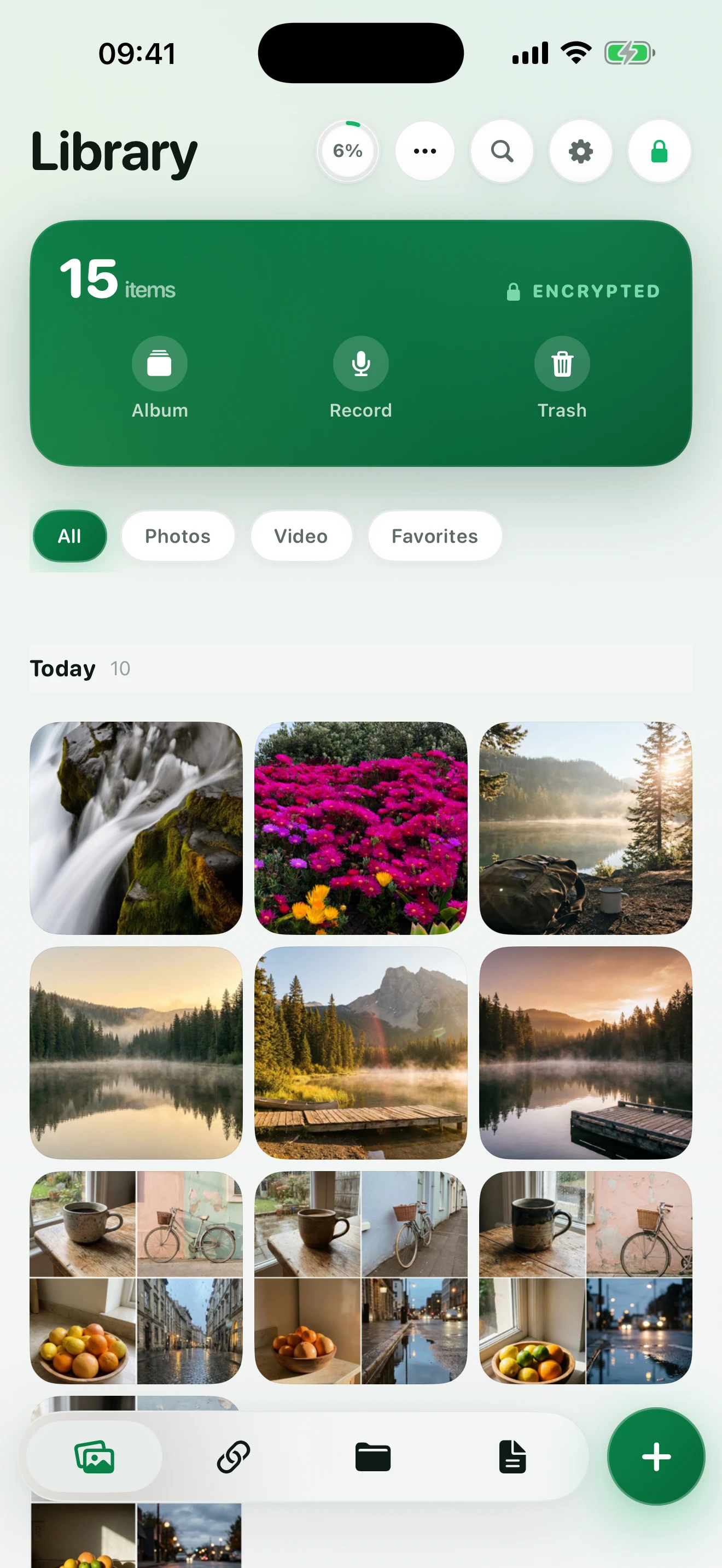
Hushfold takes the other approach: photos you add are encrypted with AES-256-GCM and stored outside your photo library, so there is no copy left in Photos to find. It opens with its own password, not your device passcode, and a second password opens a different, harmless vault — which is the part no built-in option offers.
Two things we will not pretend about. Moving photos into any app means they now depend on that app's backup, so check the export path before you trust it with anything irreplaceable. And no app on iOS can block a still screenshot — if someone is holding your unlocked phone with the vault open, encryption is no longer the question.
Next: how to lock photos on iPhone — every method ranked by who it stops · how to compress a video on iPhone without visible quality loss
Frequently asked questions
How to find the hidden album on iPhone?
Open Photos, scroll to the bottom of the Albums tab and look under Utilities. If it is not there, go to Settings → Apps → Photos and turn on Show Hidden Album. On iOS 18 and later the album is behind Face ID, so it will ask for your face before it opens.
What happened to the hidden album on iPhone?
iOS 18 moved it. Albums were reorganised into a single scrolling page, and Hidden now sits in the Utilities section near the bottom, alongside Recently Deleted. It is also locked by Face ID by default, which is new. Nothing was deleted; the photos are where you left them.
Can an album be hidden on an iPhone?
Not as a whole. You can hide individual photos and videos, and they collect in the one Hidden album, but you cannot take an album you created and hide it with its contents intact. This is the single most requested thing Apple has not built, and it is why the Apple Discussions thread asking for it ranks on this search.
Could anyone ever access your hidden album on iPhone?
Yes. Anyone who can unlock your iPhone and knows your passcode can open it, because Face ID falls back to the passcode. It also syncs to iCloud Photos, so it is visible on every device signed into your Apple Account and at iCloud.com. Hidden means hidden from the main grid, not hidden from a person.
Are hidden iPhone photos truly private?
No, and Apple does not claim they are. The photos stay in your photo library as ordinary files, they are backed up with everything else, and the album that holds them is a standard album in a known place that anyone can turn on in Settings. Private in the meaningful sense would mean encrypted with a key only you hold, stored outside the Photos library.
Are hidden photos truly hidden?
They are removed from Library, Memories, Featured Photos and the widget, which is genuinely useful. They are not removed from the Hidden album itself, from iCloud, from a Mac signed into the same account, or from a full-resolution device backup on a computer. The first person who thinks to look will find them in under ten seconds.